Need an RGB to RAL Converter but keep getting color matches that look right on screen and wrong in production? The core problem is simple: RGB is light-based, while RAL is a physical color standard. A usable conversion process reduces mismatch risk by checking tolerance, lighting, and application surface before final selection.
What an RGB to RAL Converter Actually Does
An RGB to RAL Converter helps translate a digital color value—such as RGB(255, 0, 0)—into the closest available RAL color standard used for coatings, paint, powder coating, industrial parts, and product finishing.
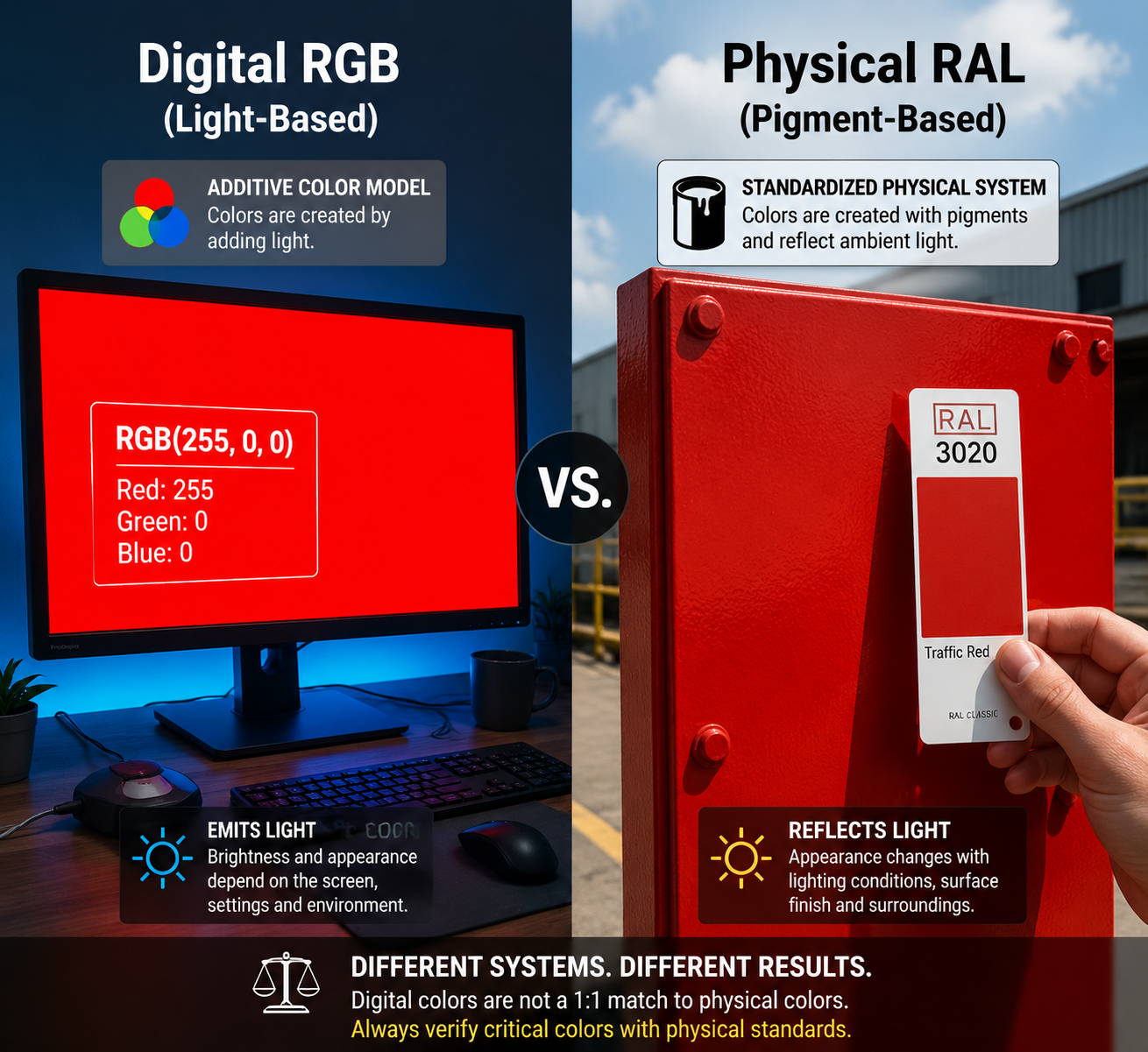
This matters because RGB and RAL do not describe color in the same way.
RGB is an additive color model used for screens
RAL is a standardized physical color system used in manufacturing and finishing
A “match” is usually a nearest approximation, not a mathematically perfect one
Final appearance can shift based on gloss level, texture, substrate, and lighting
If a team treats RGB and RAL as identical, the most common result is a visible color deviation between digital mockups and finished parts.
Why RGB to RAL Conversion Is Often Inaccurate
Many users assume entering an RGB value will produce one exact RAL result. In practice, that expectation is usually too optimistic.
RGB and RAL belong to different color environments
A monitor emits light. A painted panel reflects light. That difference alone changes how color is perceived.
Even if a converter returns a close RAL code, the final object may still look different because of:
Screen calibration
Ambient light temperature
Material surface reflectivity
Matte vs. gloss finish
Batch variation in coating application
Not every RGB color exists in the RAL palette
The RAL Classic range is limited compared with the near-unlimited number of RGB combinations. That means many RGB inputs can only be mapped to the closest available RAL option, not an exact equivalent.
A Practical RGB to RAL Conversion Process
If the goal is fewer approval delays and less rework, the best conversion workflow is not just “enter value, copy result.” It should include visual verification.
Recommended process
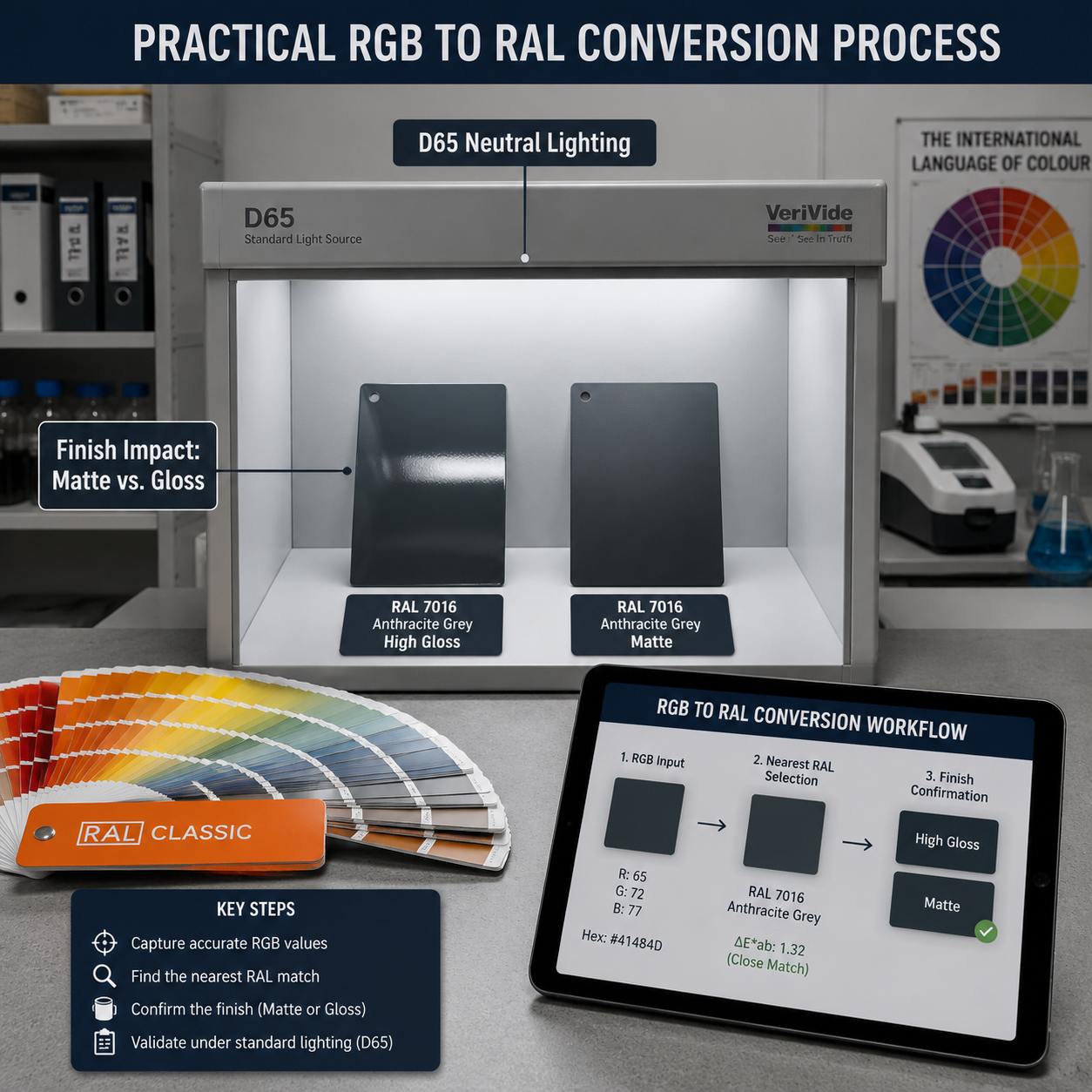
Start with the exact RGB value
Convert it to the nearest RAL code
Check whether the match is from RAL Classic, RAL Design, or another standard set
Review the color under neutral lighting, ideally around D65 daylight conditions
Confirm the finish: gloss, semi-gloss, matte, or textured
Validate the result with a physical RAL swatch before production
This process is especially important when the color is being used for:
Metal enclosures
Control panels
Consumer product housings
Powder-coated components
Brand-sensitive industrial equipment
Real-World Scenario: Product Design Handoff
A design team finalizes a device housing in a digital interface mockup. The brand review approves the appearance on a laptop screen, and the RGB value is handed to the factory.
The problem starts when the first painted samples arrive. The housing looks duller, slightly warmer, and no longer aligns with the original visual expectation. The issue is not always manufacturing error. Often, the problem is that the approved color existed only in screen space, not as a verified physical standard.
In this situation, using an RGB to RAL Converter is helpful only as a first filter. The more reliable approach is to:
identify the nearest RAL candidate
compare 2-3 adjacent RAL options
review them on the actual substrate
approve under the same lighting used for inspection
A fast digital match can save time early, but a physical swatch check is what prevents expensive color disputes later.
Real-World Scenario: Replacement Parts and Color Consistency
A maintenance team needs replacement covers for installed equipment. The original supplier file only lists an RGB value from an old design sheet, but the new batch must visually match existing painted units already in the field.
This is where a direct RGB reference becomes risky. Older equipment may have changed in appearance because of UV exposure, surface aging, or coating wear. A straight converter result may be technically close yet visually obvious once mounted next to legacy parts.
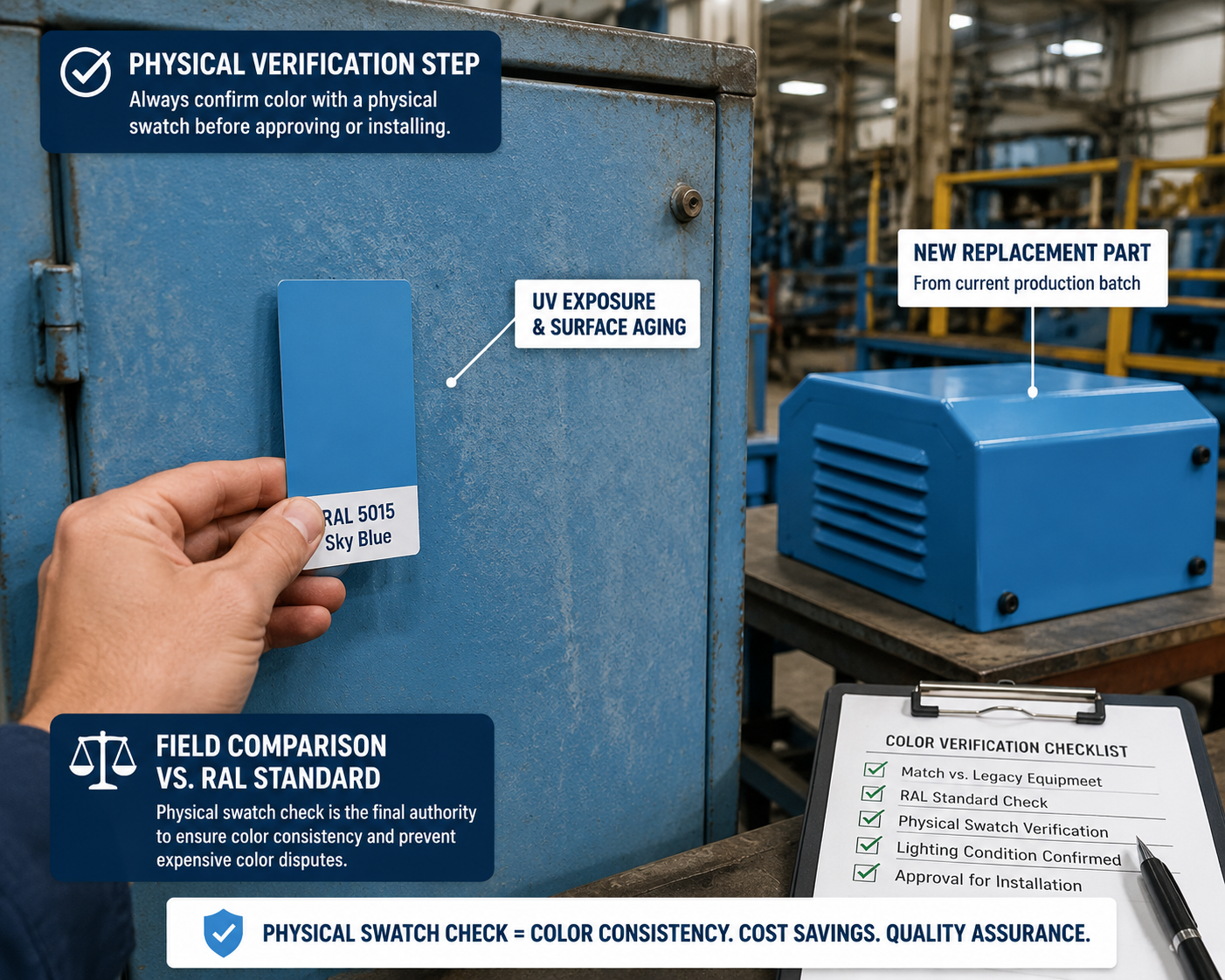
A more dependable solution is to combine the converter result with:
existing part comparison
physical RAL fan deck review
application-specific finish selection
small-batch sample validation
For industrial color workflows, suppliers such as 恒彩电子 may use converter outputs as an early reference, but production-grade matching still depends on sample confirmation and standard-based review.
RGB to RAL: Key Differences at a Glance
| Factor | RGB | RAL |
|---|---|---|
| Color type | Digital light color | Physical standardized color |
| Main use | Screens, web, UI, digital files | Paint, coatings, product finishing |
| Precision | Millions of combinations | Limited standard library |
| Match method | Numeric display value | Standard swatch or formula reference |
| Risk | Screen-dependent appearance | Surface and finish-dependent appearance |
How to Choose the Closest RAL Color More Reliably
Check the application surface first
The same RAL code can appear different on different materials. A smooth coated aluminum panel and a textured plastic housing may not reflect light the same way.
Before confirming a match, review:
substrate material
surface texture
gloss level
viewing distance
installation environment
Use lighting as a control variable
A color approved under warm office lighting may look different in daylight or warehouse lighting. If color accuracy matters, inspect under a consistent light source rather than relying on casual visual checks.
A practical benchmark is to evaluate color under:
daylight-balanced lighting
stable indoor inspection conditions
the same light environment used by both buyer and supplier
Treat digital conversion as a shortlist, not final approval
The most efficient teams use the converter to narrow choices quickly, then confirm with physical references. That can significantly reduce back-and-forth during sampling and color approval.
In many manufacturing workflows, this simple step helps reduce sample revision cycles by 20% to 40%, especially when multiple stakeholders are approving color remotely.
Common Mistakes When Using an RGB to RAL Converter
Assuming one RGB value always equals one exact RAL code
It usually does not. Most tools return the nearest visible approximation.
Ignoring gloss and texture
A RAL color in matte can feel noticeably different from the same code in high gloss.
Approving color on an uncalibrated monitor
Without basic display calibration, the starting RGB value may already be misleading.
Skipping physical verification
This is the step most likely to cause production disagreement.
FAQ
Can an RGB to RAL Converter give an exact match?
Usually no. It provides the closest available RAL equivalent based on the input value, but RGB and RAL are different systems. Exact visual parity is not guaranteed.
Why does the converted RAL color look different in real life?
Because final appearance depends on lighting, finish, material, and surface texture. Screen color and painted color are judged in different visual conditions.
Is RAL Classic enough for RGB conversion?
For many industrial uses, RAL Classic is the starting point because it is widely recognized. But if the target color is very specific, a broader system or custom sampling may be necessary.
What is the best way to verify an RGB to RAL match?
The most reliable method is to use the converter as an initial reference, then confirm with a physical RAL swatch on the actual material and finish.
Can I use RGB values for powder coating approval?
You can use RGB as an early design reference, but powder coating approval should be based on a physical RAL sample, because texture and gloss strongly affect the result.
How do I reduce color mismatch between design and manufacturing?
Use a consistent process: RGB input, nearest RAL selection, finish confirmation, controlled lighting review, and physical sample approval. This sequence lowers the chance of visible mismatch in production.
Conclusion
An RGB to RAL Converter is most useful when it is treated as a decision-support tool, not a final authority. It helps narrow color choices quickly, but dependable matching comes from combining digital conversion with standard references, lighting control, and physical sample validation. For any project where color consistency affects product quality, packaging, or installed appearance, that extra verification step is what prevents avoidable mistakes.